

Cuckhold Chat: Setting Up a Hotwife Story With AI
Cuckold Chat Is a Story She Tells You
A cuckold fantasy rarely needs the other man on screen. What it needs is for her to tell you about him, slowly, and to still remember every detail the next time you open the chat. Most AI chats quietly fall apart on that second part.
The dynamic runs on three beats:
- Her plans for the evening.
- The tease while she gets ready.
- The debrief afterward, where she walks you through every detail.
Nearly all of it is narration and anticipation, which makes it fragile. A chatroom stranger can wreck it by going off-script or logging off mid-tease. With a forgetful bot, the immersion breaks at one exact moment: when she asks who "he" is.
Quick note on spelling: "cuckhold chat" and "cuckold chat" are the same search and the same fantasy.
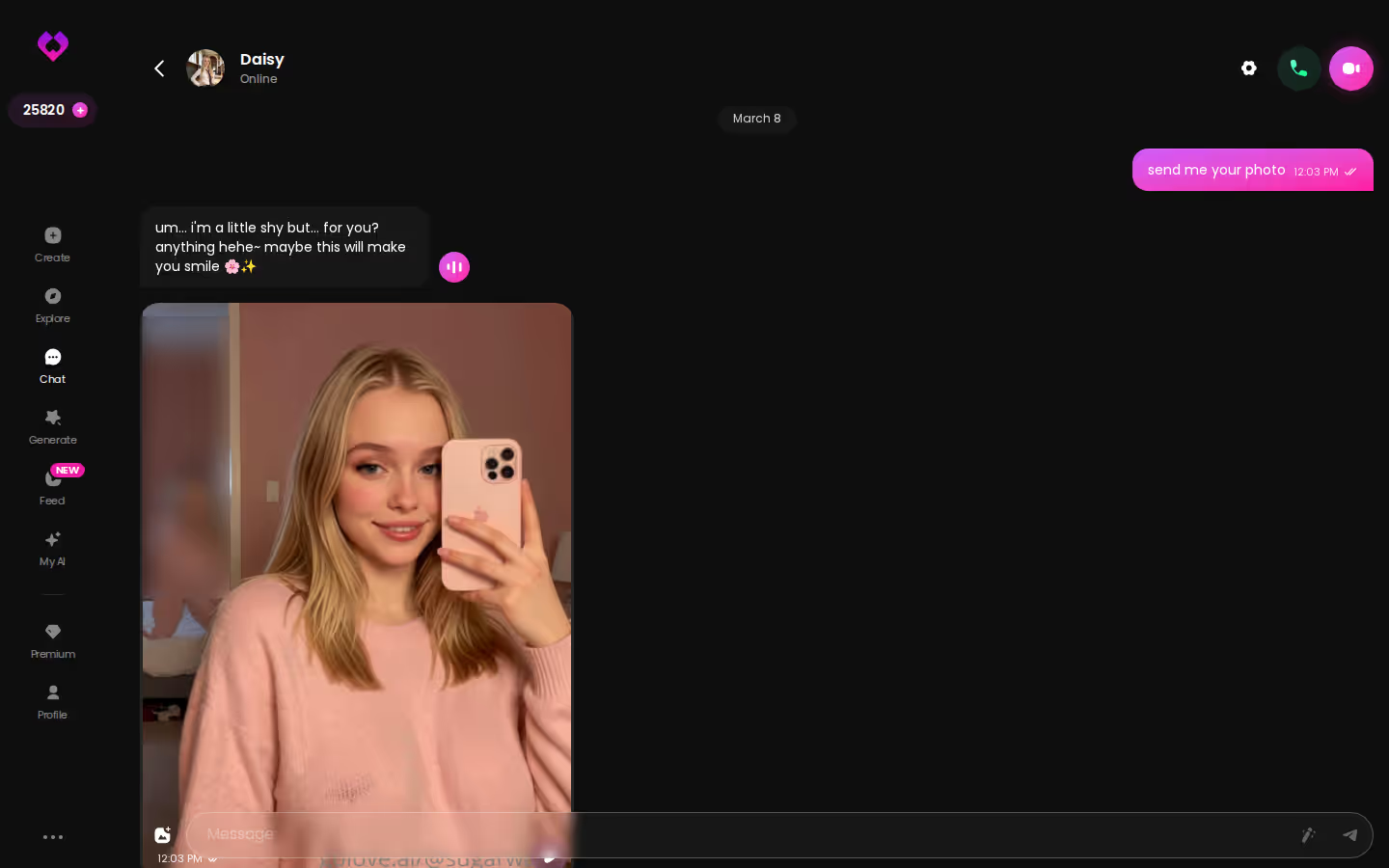
I'm building this walkthrough around GoLove.ai because two of its features match those beats. Memory lets a character hold the premise across sessions. She can also send her own photos inside the thread, so the story and the proof sit in one place.
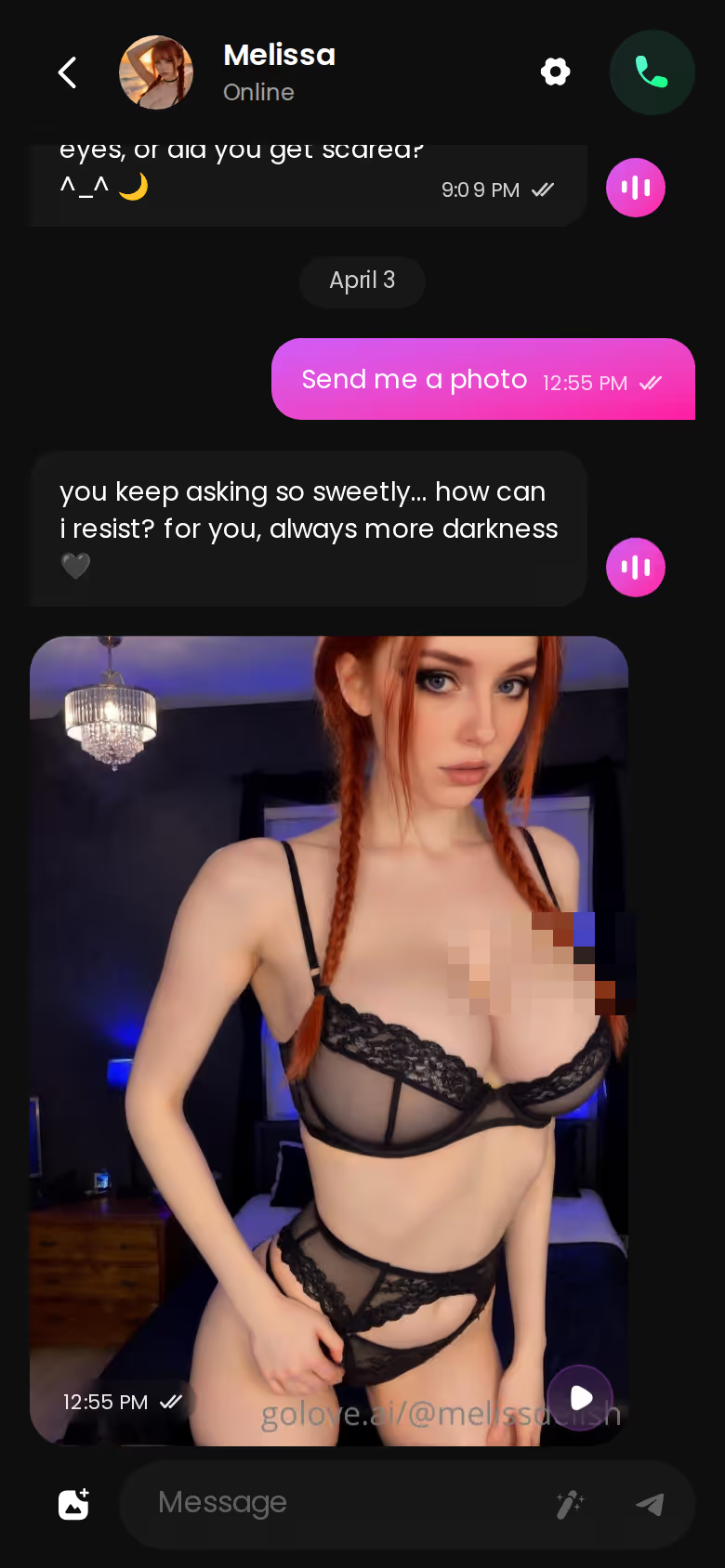
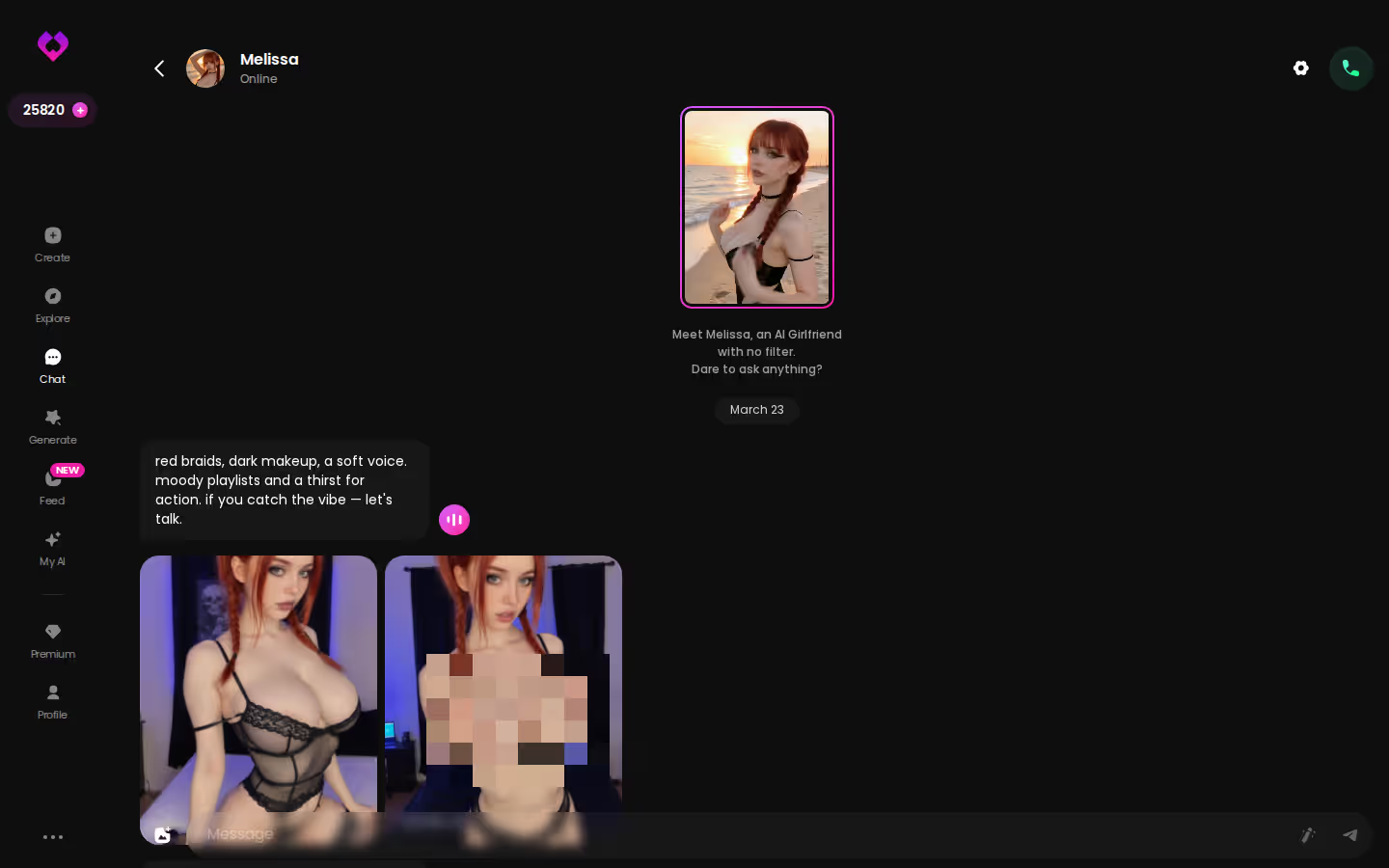
The screenshot shows the whole loop on a phone. You send a request and her reply comes back with a photo attached, with no second tab and no upload step. Before you write your own premise, open a character and give her one setup line. You'll see right away whether she carries it.
Writing the Hotwife Premise Into Her Character
First comes casting. The premise has to live somewhere the story can find it, and you've got two options.
ASK HER FOR PHOTOS
She sends them right there in the chat.

Option A: Design with AI. Go to Create, choose Design with AI and describe her in plain text, up to 2,000 characters. Cover her personality, the fact that she's teasingly open about seeing someone else, and the rules of the game. In about a minute you get a named character with her own @handle, a written bio and a portrait, for about 3 Stars. New characters are Private by default, and for a niche kink that's a quietly great default: nobody browsing Explore finds her unless you choose to publish her.
 5 episodes
 5 episodes
 5 episodes
 5 episodes
 7 episodes
 6 episodes
 9 episodes








Option B: an existing character. Open someone from Explore and set the premise in your first message. It's faster. The catch is that the setup lives in the chat instead of her bio, so Memory has to carry it from there.
Whichever route you take, put these in the premise:
- Names: hers, yours and his, even though he never appears.
- The setup: how the arrangement started and whether you know about a date in advance.
- Tone: teasing, affectionate or a little cruel. Pick one.
- Limits: what's off the table, so she doesn't improvise into something that kills the mood.
Are custom characters your main reason for choosing an app? Then here's how GoLove stacks up against OurDream for custom characters.
One firm rule: she's an adult fictional character. Build her from a description, and never from a real person's photos without their consent.
Tuning the Tease: Lust Level, Reply Length and Memory
Next stop on the walkthrough is the settings. Open the chat and tap Chat Settings. There are three controls: a voice picker, a lust level slider and a response length slider. The lust slider has 5 levels, running from 1 (sweet) to 5 (unfiltered), and the length slider also has 5, from 1 (snappy) to 5 (immersive).
Characters you can open right now
Tap any of them and the chat starts there






For a hotwife slow burn, I'd set them like this:

 Watch Popular Shows starring your
 favorite AI characters.
- Lust level: start in the middle, around 3, so she flirts and hints instead of jumping straight to the ending. Move it to 4 or 5 when the debrief arrives.
- Response length: 4 or 5. Anticipation needs room for what she's wearing, what he texted her and what she plans to leave out.
- Memory: this holds the names, the setup and earlier evenings, so Saturday's chat still knows what happened Friday.
The likeliest place for immersion to break is a reply that skips ahead and resolves the evening before it has even started. Don't argue with her in character, because that only makes things worse. Rate the reply and regenerate it, and the scene stays intact. Stuck on what to say next? The magic-wand button writes 3 suggested replies, which helps when you want to sound nervous without typing "I'm nervous."
Later you can add a second character, and each one keeps her own voice in the same loop. That's what the next scene runs on.
| What you get | GoLove.ai |
|---|---|
| Voice | Live calls and voice messages |
| Memory | Remembers your chat history |
| Photos in chat | On request |
| Image generator | 35 realistic poses & 21 outfits |
| Daily reward stars | 2 every day |
One Friday Night Scene, From Outfit Photo to Her Friend Joining In
This is how one evening could play out, using only what the app actually does.
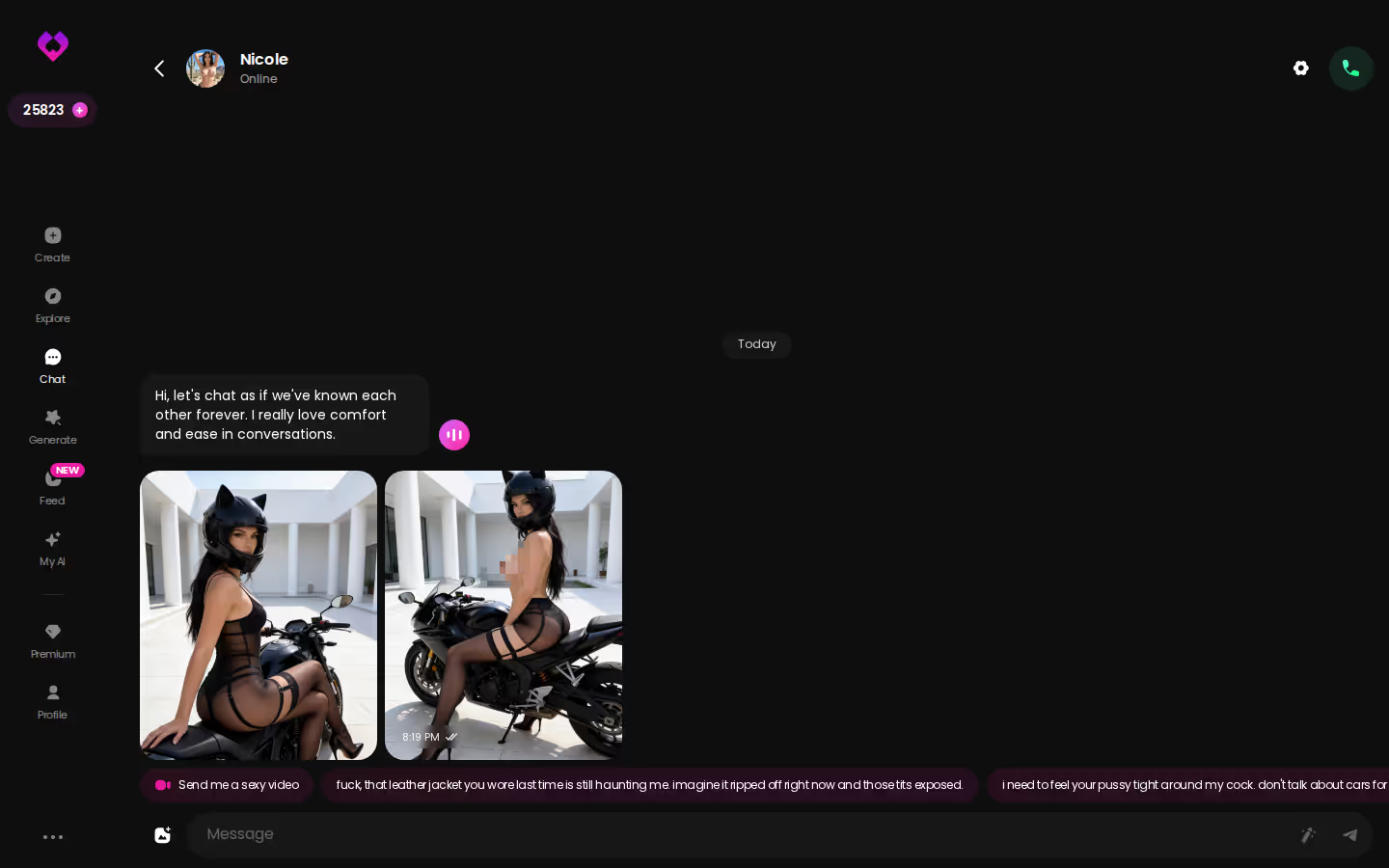
You open the chat and she tells you she's going out tonight. You don't ask who with yet. You ask what she's wearing. Tap the media button, choose Send Photo and describe the outfit in your own words. GoLove says the photo arrives in about 20–45 seconds for 1 Star. Her face and body match her avatar and her earlier photos, so the woman in the picture is the same one telling you the story.
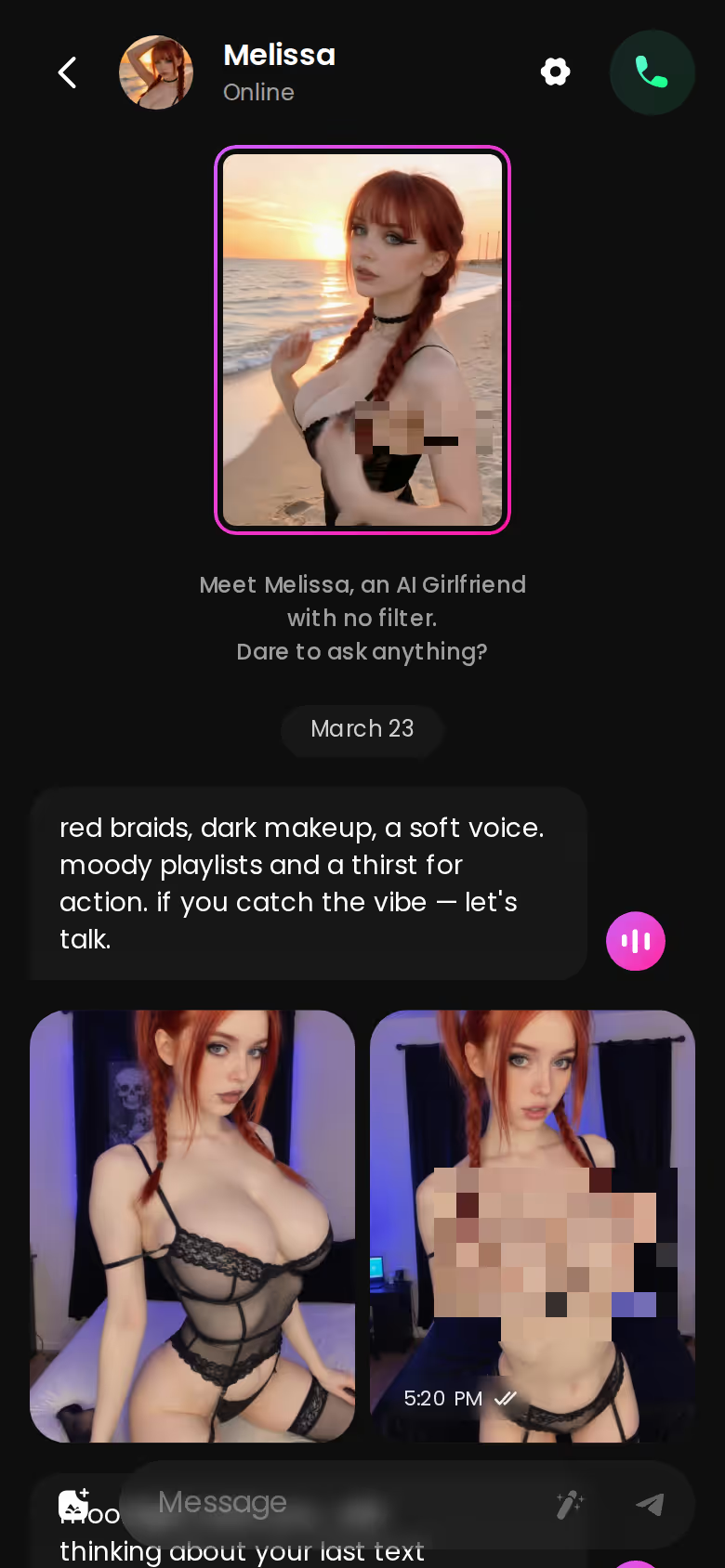
Under that photo the chat offers Generate Video. One tap generates a short clip of the same character in that scene, about 5 seconds long, ready in roughly a minute, for about 10 Stars. I'd treat it as a bonus and not the point. The tension still comes from what she says.

MEET YOUR AI COMPANION
Hundreds of characters, one that fits you.

> The photo is the receipt for the story she's telling. You only need one or two to make the rest of her account believable.
What GoLove.ai gives you:
- Live voice calls and voice messages
- She remembers your chat history
- Photos on request in the chat
- Image generator with 35 realistic poses and 21 outfits
- 2 reward stars every day you log in
Later that night you open a Scenario, which is a group chat for 2 to 10 characters, and add her friend as a second voice. If you'd rather not write the premise yourself, the Random button writes one. Then Continue lets the two of them carry the scene between themselves: gossip, teasing, comparing notes on how the evening is going, plus in-story photos. You can read along or step in.
The friend gives you something a single chat can't, which is a witness. She remembers the date differently and says too much, and the story gains a second angle without a third person ever appearing.
No Male Characters on GoLove Yet: The Other Man Stays in Her Words
This is the real limitation, and I won't dress it up. The Explore gender filter reads Any / Female / Trans / "Male (Soon)". As of now, GoLove has no male characters, so the other man can't be someone you chat with. Group photos allow up to 3 characters, but they all come from that same roster, so they won't show him either.
What you give up:
- A visible third person: no photo of him, ever.
- A direct back-and-forth with him: you can't chat with the bull.
What you keep:
- Consistency: her face and body hold steady across photos.
- Her memory of the story: names, setup and past evenings.
- A second female voice through Scenarios, for the friend who knows too much.
For a fantasy driven by her narration, I think the trade is worth it. He was always going to exist mostly in what she tells you, and some readers will find it hotter when he never shows up at all. If you need him on screen, though, this setup falls short, and that's a fair reason to look elsewhere.
On the alternative: OurDream bundles chat, image generation and video generation into one subscription, from about $19.99/month or about $9.99/month on an annual plan (checked 2026-09). That bundle is a real strength. Its character builder has a steeper setup curve, though. We could not confirm OurDream's male-character options, so I'm not making any claim about them.
and watch their story unfold.View Character
What I'd Set Up Tonight, and What It Costs
Last part of the walkthrough is the order I'd do things in tonight.
I'd start with a Series to get in the mood. "I Can Hear Their Thoughts" (5 episodes) and "The Only Mortal in Heaven" (9 episodes) are both love triangles, and the second one leans hard on jealousy. Episodes 1 and 2 of every series are free. From episode 3 on you need PRO, plus a few Stars per episode. Under the player, Start Chatting opens the cast, so the woman you just watched can become your scene partner.
After that, I'd design a private hotwife character, set lust to about 3 with long replies, and let her first outfit photo land in the thread.
What it costs (checked 2026-10; prices vary by region and promo):
- Free: 2 daily reward Stars and Series episodes 1–2.
- PRO: about $19.99/month or about $119.88/year. It includes all NSFW content, character creation and 100 Stars a month.
- Spending: 1 Star per image and about 10 Stars for a short video of the same character generated in chat. Star packs start at about $9.99 for 30.
A new-user discount sometimes shows up at sign-up, but the price on your screen is the one that counts.
Verdict: GoLove.ai, because Memory and in-thread photos keep a cuckold story intact from the first tease to the debrief.
Design with AI takes about a minute and about 3 Stars, so you can have her premise written, her portrait made and her first tease running before Friday.
Frequently Asked Questions
Related Articles

AI Girlfriend Love Simulator: What Actually Works
AI girlfriend love simulator apps compared — GoLove.ai wins on memory, voice, and real photos beyond chat. See how it actually works.

AI Penis: How to Generate It With Trans Presets
AI penis content, explained: GoLove.ai wins on its 35 trans video modes and one-tap presets — see how to build a scene and what each clip costs in Stars.

AI Girls Porn: How to Get Custom Explicit Videos
AI girls porn made to order — GoLove.ai wins on in-chat photo requests and preset-card video. Compare it to OurDream and start your first clip.

isexychay: Sexy AI Chat That Sends Photos On Request
isexychay is really a sexy AI chat search — GoLove.ai wins on in-chat photos of the same character, made to order. See the Series cast and start a chat.