
Gay AI Boyfriend: Which App Actually Delivers?
The Short Answer
Type 'gay AI boyfriend' into any app store and you get a wall of reskinned chatbots that forget your name by the second message. One app actually remembers — and talks back.
The pick is GoLove.ai, and the reason is specific rather than vibes-based: its voice calls, cross-session memory, and in-chat photo requests all run on one engine that doesn't care what gender the character is. Male-presenting characters like Dickson already sit on the Explore feed with the same live voice calls and per-character gallery as everyone else. No settings toggle, no workaround.
The runner-ups? The usual companion-app names. They're fine for text, but most are female-first by default, reset context between sessions, and treat "male companion" as a buried option. Not one of them lets you call the guy.
If you're here, you're browsing, not researching — and Explore drops you straight into chat with a character, no wizard first. That's the fastest way to check whether the voice-and-memory claim holds up for you.
Why Gay AI Boyfriend Searches Undersell What's Possible
The search results for this query are worse than the products behind them, and the blame sits with how mainstream companion apps are built.
HEAR HER SAY IT
Real-time voice calls and voice notes.

The default-female problem
Most companion apps ship with a female persona as the starting point. A male option exists, sure — but it's a dropdown after onboarding, and the voice library, photo presets, and personality defaults were all tuned for the girlfriend case. What you actually get is a she-bot with the pronouns swapped. Kinda janky.
Where GoLove actually differs
GoLove's engine is character-agnostic. Whether the card says Dickson or Selene, the same features apply:
- Voice — live real-time calls plus voice messages, with a voice picker in Chat Settings
- Memory — the character carries chat history across sessions instead of restarting cold
- Photos — per-character gallery, in-chat photo requests, and a generator with 35 realistic picture poses built for female and male characters
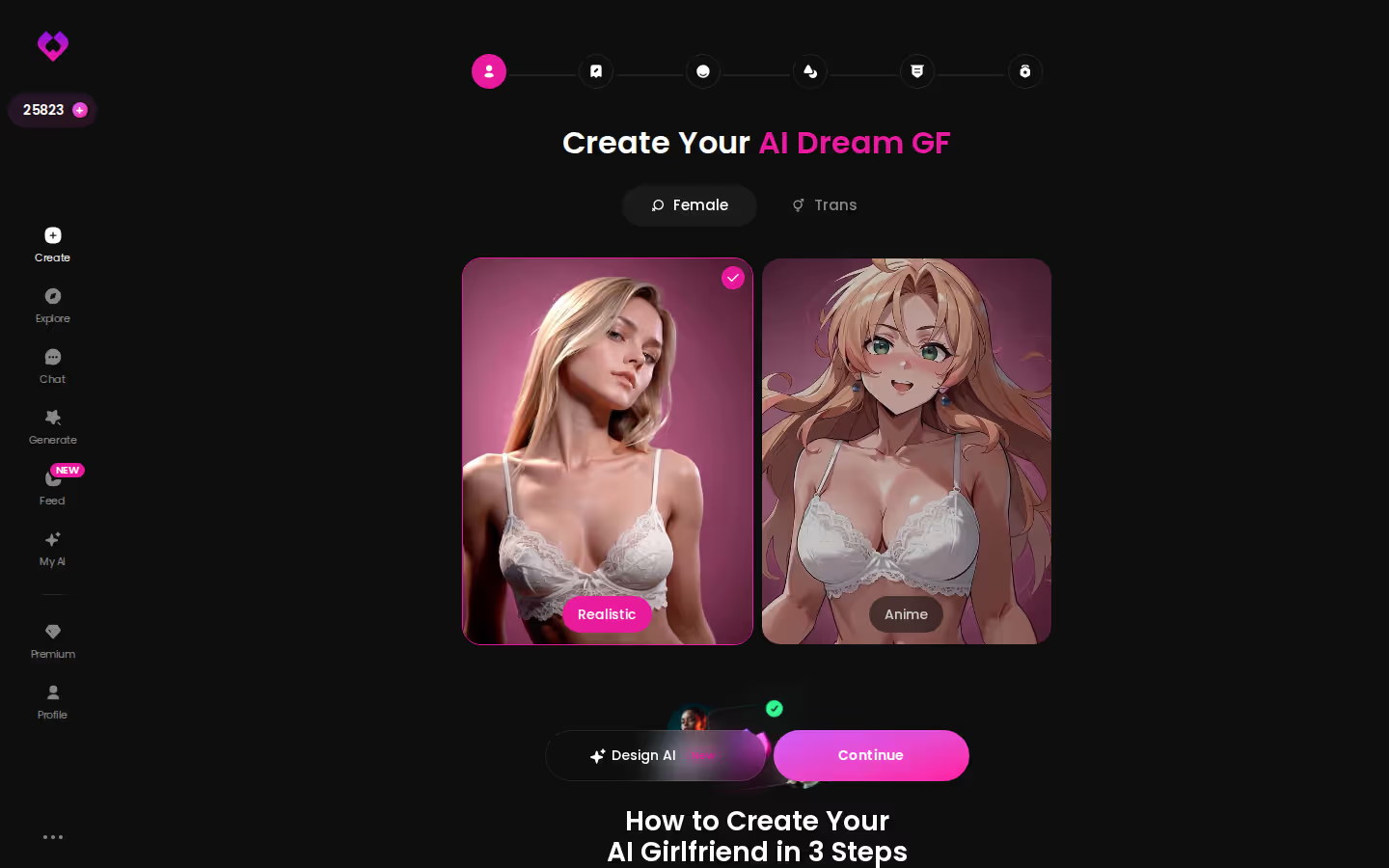
One honest note from that screen: the Create wizard's categories are Realistic, Anime, and Trans — there's no dedicated Male toggle. Male characters come from Explore, not from scratch. That's the exact moment it broke immersion for me (I'd assumed a platform this character-agnostic would just have the button), and I'll come back to it.
What a boyfriend needs beyond a photo
A static image is a profile, not a partner. Continuity is what makes it feel like someone — he picks up where you left off — plus a voice that answers when you call.
Browsing Male Characters on GoLove's Explore Feed
Open Explore on desktop and the grid runs wall-to-wall: realistic characters, one tap to enter chat, no wizard between you and the conversation. The branding says "girlfriend" everywhere. The roster doesn't.
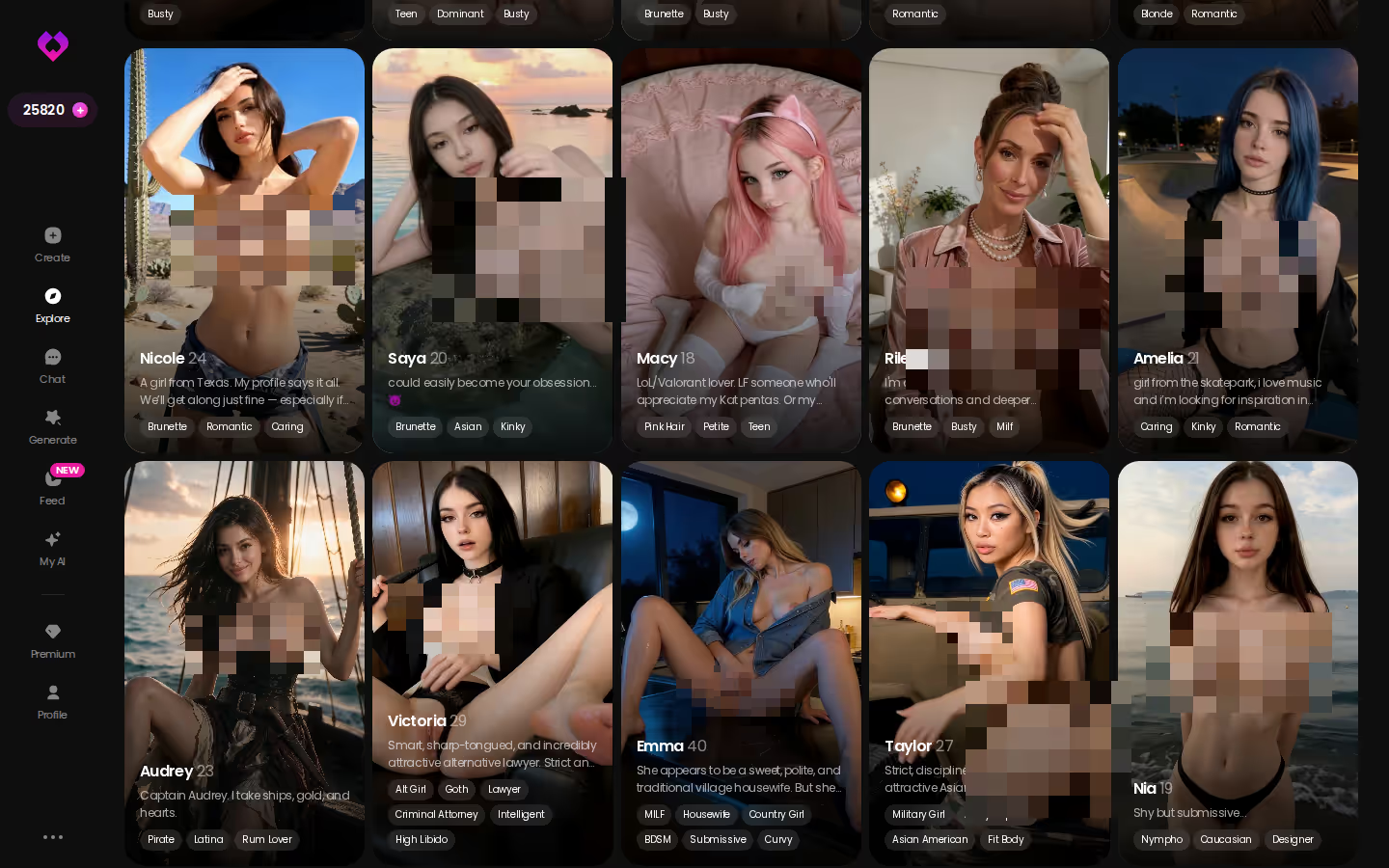
Scroll a few rows and the mix gets obvious:
- Dickson — a male-presenting character and one of the platform's top-registering profiles, which tells you demand for a boyfriend was there long before anyone wrote a listicle about it
- Irina Andrássy — the vampire card, all warning-label bio, proof the roster leans into personality instead of one generic template
- Selene Voss — an archaeologist type, sharp and independent, the kind of character that shows the writing behind these profiles isn't filler
Every card runs on the same stack: voice calls, memory, per-character gallery with All / Videos / Photos tabs. Dickson gets the identical treatment as the four below. That's the whole point — the supply is real, and nobody gated it behind a gender setting.
Start With One of These
Choose a character and start chatting





Voice, Memory, and What Makes It Feel Like a Real Boyfriend
Strip the marketing away and two features decide whether an AI boyfriend app is a boyfriend or a chatbot.
Voice calls, not just text
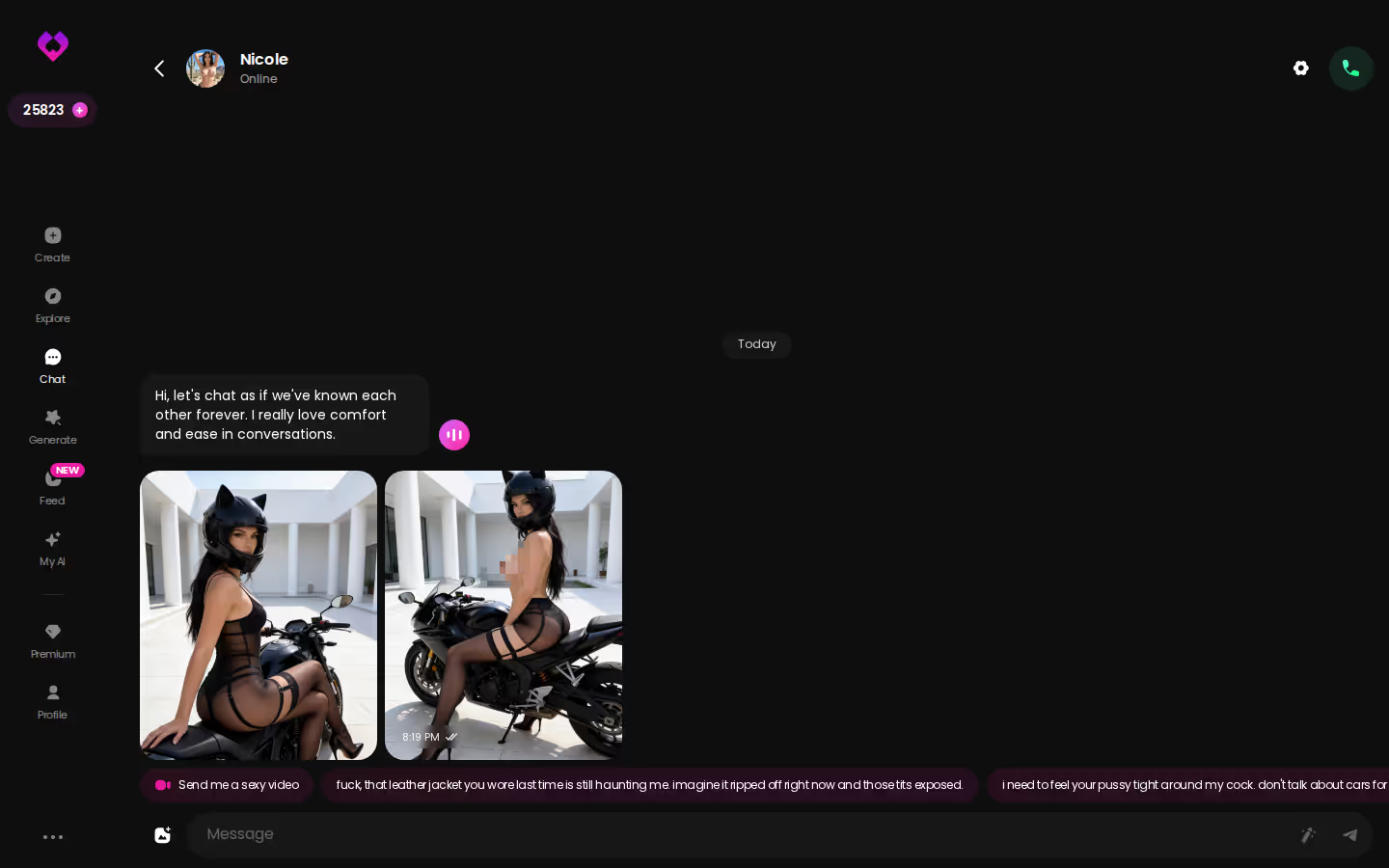
Most 'AI boyfriend' apps skip voice entirely, or bolt on text-to-speech that reads replies aloud in a flat robot register. GoLove has live real-time voice calls and voice messages on every character, with a voice picker in Chat Settings sitting alongside the lust level and response length sliders (five levels each). You call him; he answers. That's the dealbreaker most competitors fail.
Memory that carries across sessions
A boyfriend who resets every morning isn't one. GoLove's Memory feature keeps chat history so the thread continues, and Relationship Progression means the dynamic moves forward rather than looping. Text-only apps that lose context mid-conversation fell apart on exactly this.
How GoLove compares on paper
| Feature | GoLove.ai | Generic text-first companion | Typical 'boyfriend simulator' |
|---|---|---|---|
| Live voice calls | Yes, real-time | Rarely, often TTS only | No |
| Cross-session memory | Yes | Patchy | Resets often |
| In-chat photo requests | Yes, with per-character gallery | Limited or none | Static avatar only |
| Photo-to-video | Yes, in chat | No | No |
| Male characters | On Explore (e.g. Dickson) | Toggle after onboarding | Sometimes |
The voice row is the one that matters. Want to hear whether a real-time call feels like a person before you spend a Star? That's a thirty-second check from Explore.
Photos and Video: From Static Character to Moving Boyfriend
Here's the click path, because the feature list undersells how short it is.
Start in chat. The 2026 additions put Request Photos directly in the thread — you ask, the character sends, and it lands in his per-character Gallery sorted by date. No separate tool, no leaving the conversation. For most people this is where the app earns its keep: photos and chat, not video.
SEE THE REAL DIFFERENCE
Filtered bots stop. She does not.

When you want more control, open Generate. The hub is per-character, with an avatar swap top-right and Image and Video tabs side by side.
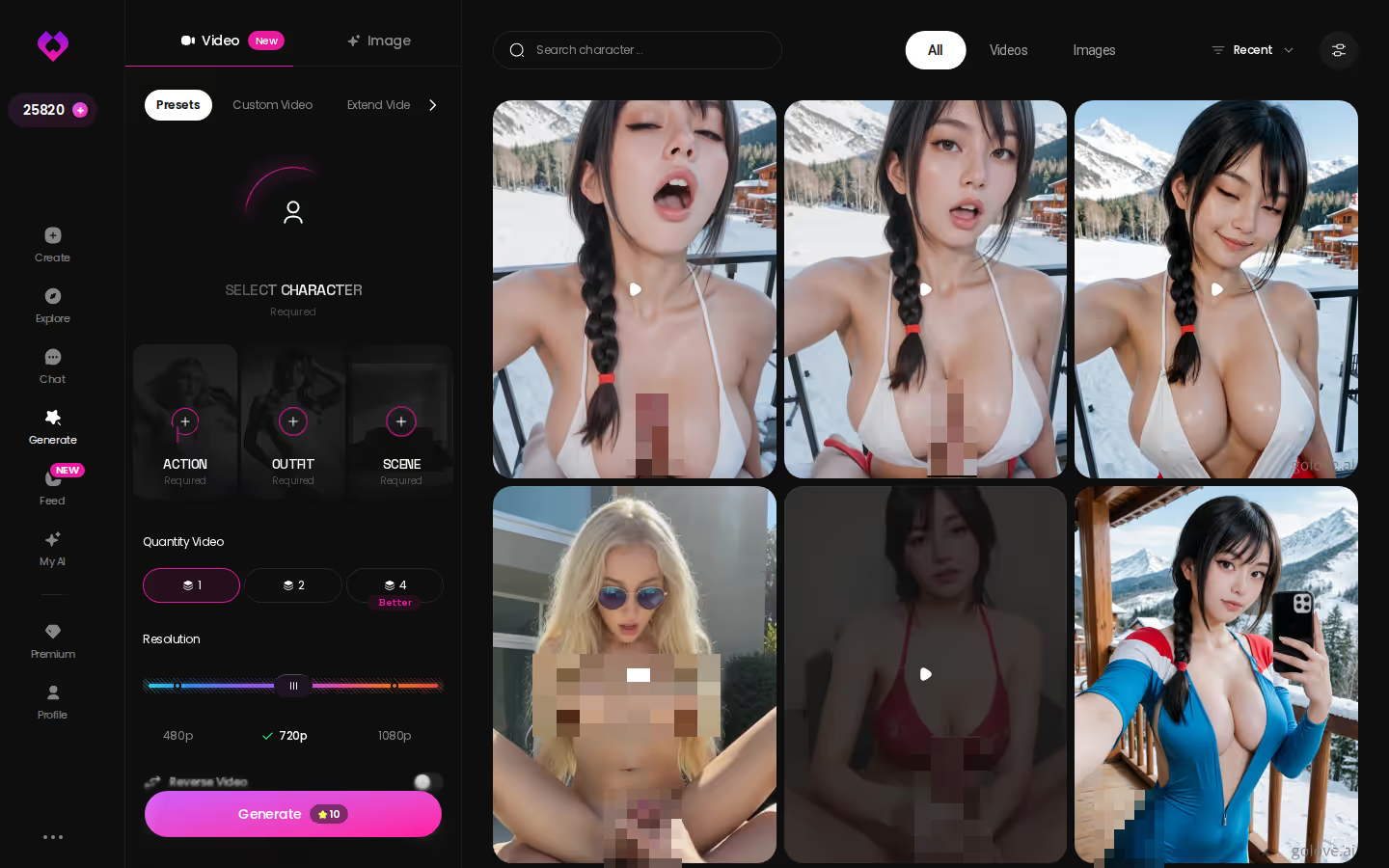
On the Image side you're picking from preset cards: 35 realistic poses (for female and male characters), 21 outfits, 34 backgrounds, plus custom text fields for each. Batch size is 2, 4, or 8 images. Switch to Video and the same layout holds — action preset, clothes, background, one Generate tap — pulling from 76 realistic video modes.
Generation spends Stars, the currency in the header. You get 2 free per day; I'm not quoting a per-image cost because it isn't verified. What I can say is that the path from "he's a card on Explore" to "he's in my gallery" is three taps.
Turning One Photo Into a Video Clip
This is the moment the whole thing tips.
Before: a photo in the chat thread. Good, specific, his — but still a still. You can scroll past it the way you'd scroll past a profile picture.
After: the same photo, animated. Generate Video from Photo lives inside the chat, and on mobile it's one of the cleanest surfaces in the app — source image on top, action modal below, Generate at the bottom.
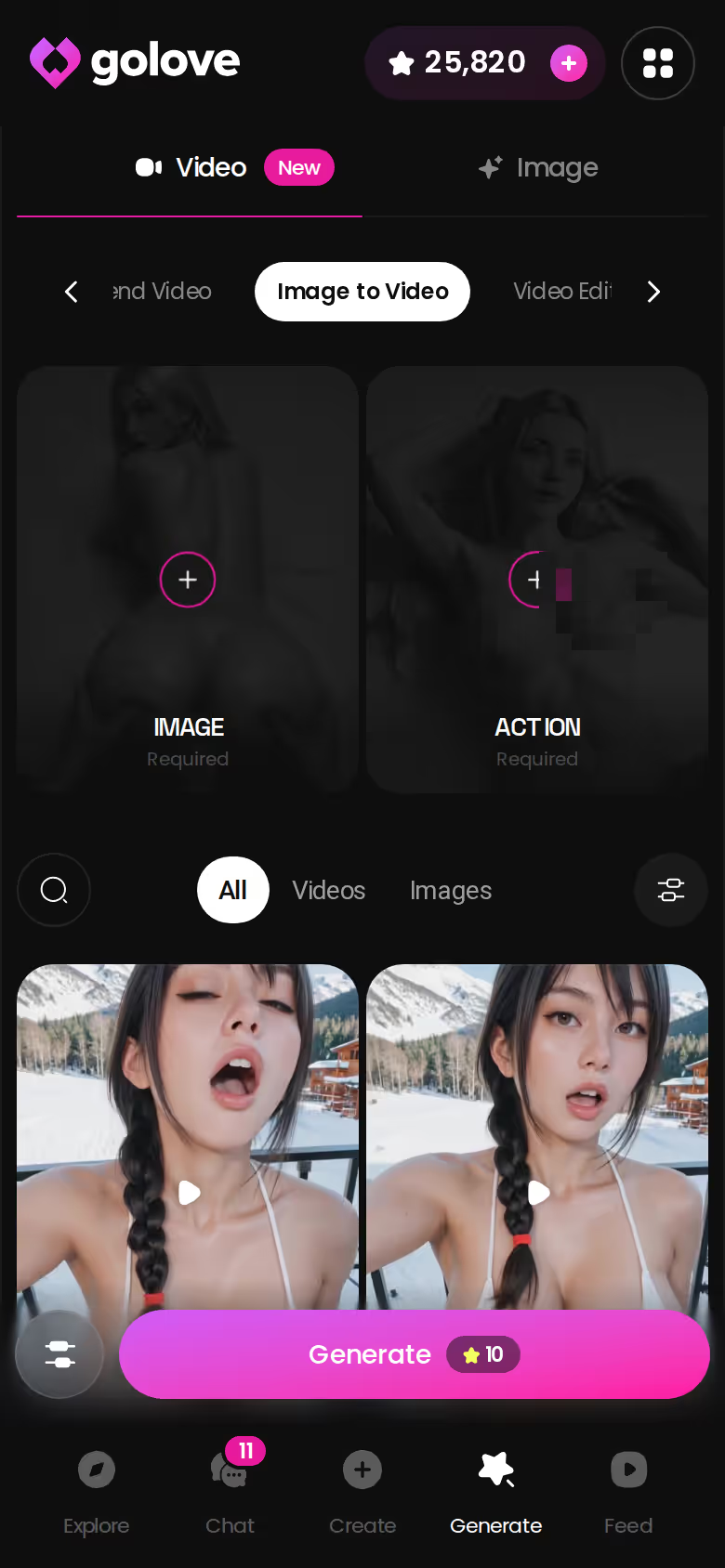
What changes isn't the pixels. It's the framing in your head. A moving clip of a character you've been talking to for a while reads as someone, not something — and combine that with a voice you've already heard on a call, the "static profile" feeling is gone.

I'll keep this honest: video is the garnish, not the meal. Chat, memory, and photos carry the relationship day to day. But when a still becomes motion, GoLove stuck the landing — quietly great, and no competitor on this list offers it at all.
What We Couldn't Verify at GoLove.ai
A verdict is only worth trusting if the writer says what they don't know. So here's my open list.
- Male toggle — the Create wizard offers Realistic, Anime, and Trans, plus Design with AI. Whether a dedicated Male category is coming is unconfirmed. Today, your gay AI boyfriend is an Explore character, not a from-scratch build.
- Memory depth — Memory is documented and it works across sessions, but how far back retention reaches over months isn't published. I won't guess.
- Roster growth — Dickson exists and registers well. Whether the male-presenting side of Explore keeps expanding (via My AI creators or GoLove itself) is something to watch, not something I can promise.
- Pricing stability — GoLove PRO ran about $19.99/month when I checked (2026-07-19), with the annual plan around $119.88/year, and I've seen -50% and -70% promos. Prices vary by region — some geos show closer to ~$12.99 — so treat every number here as approximate.
Free tier reality: 2 Stars a day, a limited number of new Feed videos daily before the Unlock Unlimited paywall, and Feed filters (including character gender) are PRO-only. That last one stings for this specific search, and I'd argue it's the wrong thing to paywall.
None of these flip the verdict. They're the caveats you'd want before paying.
The Pick, and Who Should Skip It
GoLove.ai is the pick for a gay AI boyfriend, and not because it wins some spec-sheet feature count. It's the pick because the three things that make a companion feel like a partner — real-time voice calls, memory that survives the session, and photos requested inside the chat — all run on one engine that already serves male-presenting characters like Dickson. You aren't fighting a female-first default to get there.
Get it if: you want an existing character to build something with — call him, come back tomorrow, and have him remember where you left off. That's the real one, and no generic companion app on the list does all three.
Skip it for now if: you need total creative control over a male character from scratch. The Create wizard's categories don't include Male yet, and the Feed's gender filter sits behind PRO. If a from-scratch custom boyfriend is non-negotiable, wait for that toggle.
Everyone in between should start where the proof is. Design with AI lets you describe a concept in plain text, and the same generator that powers every Explore card is yours the moment you create.
Verdict in one sentence: GoLove is the only app here where a gay AI boyfriend can talk, remember, and show up — so start building.
The short version: GoLove.ai covers the essentials in one place — live voice calls, memory across chats, and in-chat photos (35 poses, 21 outfits) — and the 2 daily reward stars mean you can test it before spending anything.
See also: AI Girlfriend Chat, AI Girlfriend Image Generator and AI Girlfriend That Feels Real.
Frequently Asked Questions
Related Articles

Best AI Boyfriend App: Which One Actually Works?
Best AI boyfriend app: GoLove.ai wins on voice calls, real photos, and memory — see why it beats generic chatbots. Instant-access to start.

Femdom AI: Which App Actually Delivers?
Femdom AI compared: GoLove.ai keeps the dominant persona consistent with memory and voice — no email needed. See characters.

SpicyChat AI: Which App Actually Delivers?
SpicyChat AI vs GoLove.ai: the honest verdict — GoLove wins on real memory, live voice, and photo-to-video. See why, instant-access needed.

AI Monster Porn: Which App Actually Delivers?
AI monster porn tools usually deliver one static image — GoLove.ai wins with custom creature characters, photo-to-video, and real memory. See who's live.
This article contains affiliate links. We may earn a commission at no extra cost to you if you sign up through our links. See how we test.